
Download SubtitleBee – AI Video Subtitling Tool for Creators
Overview
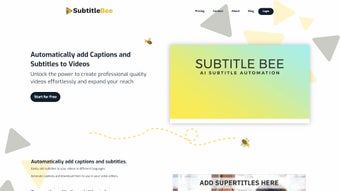
SubtitleBee is an AI‑driven web application that automates the entire workflow of adding captions and subtitles to videos. Designed for influencers, vloggers, marketers, and any creator who wants to make their content accessible, SubtitleBee supports dozens of languages, allowing you to reach a truly global audience with minimal effort. The platform’s core engine detects the spoken language of a video, creates an accurate transcription, and then translates the text into the selected subtitle language(s).
Beyond basic captioning, SubtitleBee lets you style subtitles, insert head titles at precise timestamps, and add supertitles that appear as on‑screen graphics for extra emphasis. The tool also includes a customizable progress bar, advanced cropping options for Instagram Reels, TikTok, YouTube Shorts, and other social‑media formats, and a secure processing pipeline that respects privacy and content rights. Whether you’re uploading a 2‑minute tutorial or a 30‑minute documentary, SubtitleBee delivers fast, reliable results without the need for manual timing or third‑party editing software.
Its cloud‑based nature means you can work from any device with an internet connection, and the intuitive dashboard keeps the entire process transparent—from upload to final download.
Key Features
- AI‑Powered Transcription: Real‑time speech‑to‑text conversion with high accuracy across multiple accents.
- Automatic Language Detection: The engine identifies the source language and suggests appropriate subtitle languages.
- Multi‑Language Support: Over 60 languages and dialects available for translation and subtitle generation.
- Customizable Subtitle Styles: Choose fonts, colors, background opacity, and positioning to match your brand.
- Head Titles & Supertitles: Insert eye‑catching titles or graphic text at any point in the video.
- Progress Bar Customization: Add a visual progress indicator that can be styled to fit any video format.
- Social Media Cropping: Pre‑set aspect ratios for TikTok, Instagram Reels, YouTube Shorts, and Facebook Stories.
- Secure Cloud Processing: End‑to‑end encryption ensures that your video content remains private.
- Batch Processing: Upload multiple videos at once and let the AI handle each file independently.
- Export Options: Download subtitles in SRT, VTT, or embed directly into MP4 files.
Installation & Usage Guide
SubtitleBee is a fully web‑based solution, which means there is no traditional installation required. To get started, follow these simple steps:
- Create an Account: Visit subtitlebee.com and sign up using your email or a social‑media login. A free trial is available for first‑time users.
- Upload Your Video: Drag and drop your video file (MP4, MOV, AVI, or WebM) onto the dashboard or use the “Browse” button. The platform supports files up to 2 GB for the free tier.
- Select Languages: Choose the source language (or let SubtitleBee auto‑detect) and the target subtitle language(s). You can add multiple subtitle tracks in one pass.
- Customize Appearance: Use the style editor to set font family, size, color, background, and position. Enable the progress bar and adjust its design if desired.
- Crop for Social Media: Pick a preset aspect ratio (e.g., 9:16 for TikTok) or define a custom crop. The AI will automatically re‑frame the video to keep key visual elements in view.
- Generate Subtitles: Click “Start Processing.” The AI transcribes, translates, and timestamps the subtitles within minutes, depending on video length and server load.
- Review & Edit: Once processing is complete, a preview window allows you to make manual tweaks. You can edit any subtitle line, adjust timing, or add additional supertitles.
- Download or Export: Choose to download the subtitle file (SRT/VTT) or export a fully merged video with embedded subtitles. The final file is ready for upload to YouTube, Vimeo, or any social platform.
Compatibility: Because SubtitleBee runs in the browser, it works on Windows, macOS, Linux, Android, and iOS devices. All modern browsers (Chrome, Firefox, Edge, Safari) are supported. No additional plugins or software are required, making it a truly cross‑platform solution.
Pros and Cons
Pros
- Fast, AI‑driven transcription eliminates manual timing.
- Supports more than 60 languages, expanding global reach.
- Fully web‑based – no installation, works on any device.
- Customizable subtitle styling and progress bar for brand consistency.
- Social‑media cropping saves time when repurposing content.
- Secure cloud processing protects creator privacy.
- Batch processing capability for large video libraries.
- Free trial available, with affordable subscription plans.
Cons
- Requires a stable internet connection; offline work is not possible.
- Large video files may take longer to upload and process.
- Advanced styling options are limited to predefined templates in the free tier.
- Exporting embedded subtitles into certain formats (e.g., MOV) may need additional conversion tools.
- Pricing for high‑volume users can become significant compared to desktop‑only tools.
Conclusion & Call to Action
SubtitleBee stands out as a comprehensive, AI‑powered subtitle creation platform that removes the technical barriers traditionally associated with video captioning. By handling transcription, translation, styling, and social‑media cropping in one seamless workflow, it empowers creators to focus on storytelling rather than tedious post‑production tasks. Whether you are a YouTuber aiming to increase watch time, a marketer seeking multilingual ad campaigns, or an educator wanting accessible learning materials, SubtitleBee delivers a secure, fast, and affordable solution. Take advantage of the free trial today, experience the convenience of automated subtitles, and watch your audience grow across borders.
Frequently Asked Questions
Is SubtitleBee really free to use?
SubtitleBee offers a 7‑day free trial with full feature access. After the trial, you can choose a monthly or annual subscription plan. A limited free tier is also available, but it restricts the number of videos and styling options.
Can I edit subtitles after the AI generates them?
Yes. SubtitleBee provides an interactive editor where you can modify text, adjust timing, and add or remove supertitles before final export.
Which video formats are supported?
Common formats such as MP4, MOV, AVI, and WebM are supported. Larger or less common formats may need conversion prior to upload.
How secure is my uploaded content?
All uploads are encrypted in transit and at rest. SubtitleBee does not store your videos longer than necessary for processing, and you retain full ownership of your content.
Can I use SubtitleBee on mobile devices?
Absolutely. Since it runs in a web browser, you can access SubtitleBee from Android or iOS devices using Chrome, Safari, or any modern mobile browser.
Ready to make your videos more accessible and engaging? Download SubtitleBee now and start creating professional subtitles in minutes.



.png)



